When Screen Sharing Becomes a Seamless Part of Your Day
A single monitor arm with rotation streamlines collaboration and screen sharing, reducing desk rearrangement and physical strain.
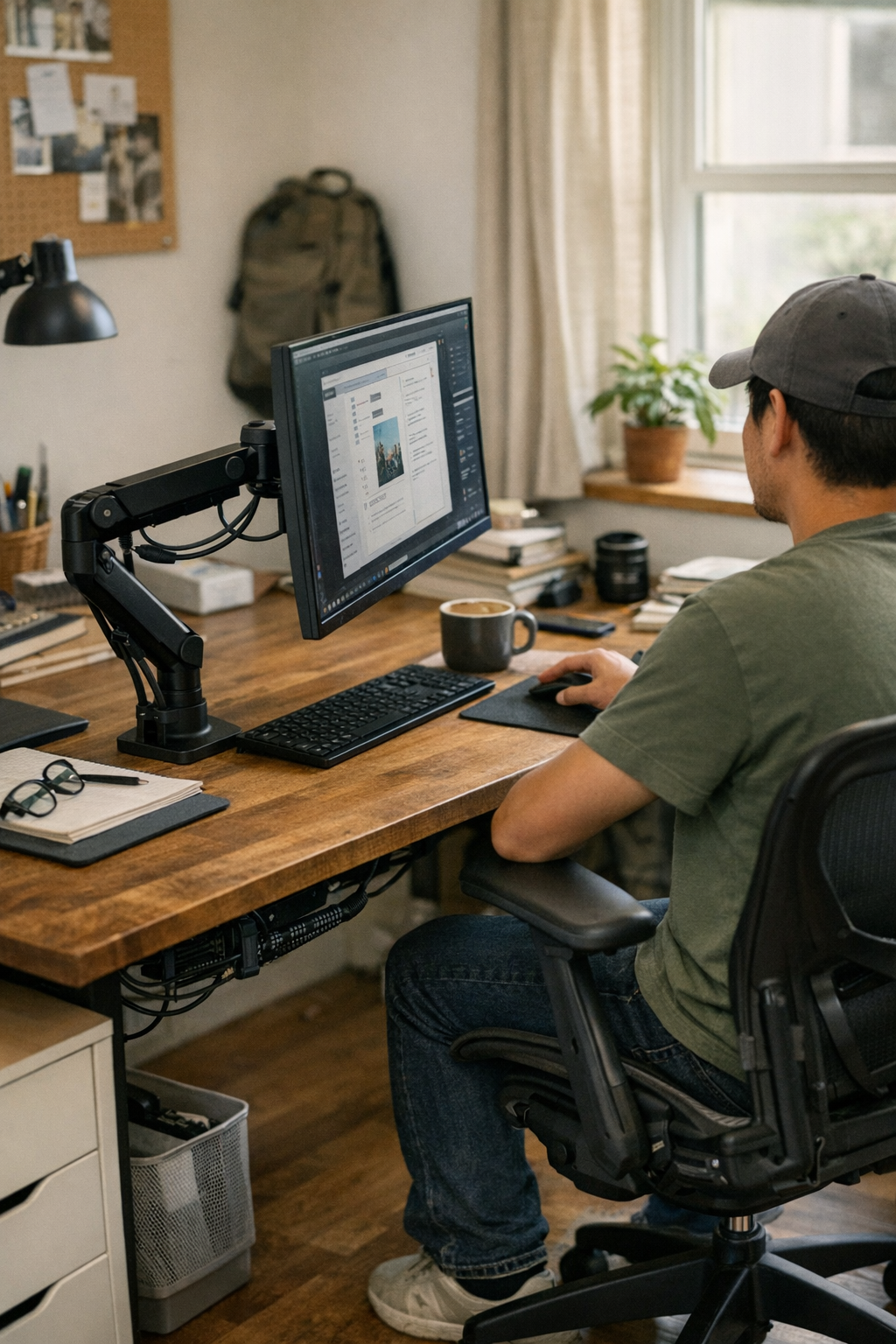
You don’t really see it in the beginning. The desk stays neat, the monitor keeps its spot, and cables all run straight to the back—everything looks settled. It’s only after a few cycles of sharing your screen or fielding questions over your shoulder that something starts to rub the wrong way. The static stand, the small adjustments, the way you shift or reach: it builds up, a little more each day.
For a long time, none of it seemed like much. You shift the monitor, clear aside a notepad, maybe scoot the keyboard half an inch to the left. Then the cables pull, or you bump into the lamp base, or a pen rolls just out of reach. It’s never a disaster, just a sequence of barely-registered interruptions—a setup that looks organized until someone needs to look with you.
The Rotation That Was Missing
That was the part that stayed with me. The work kept circling back to sharing, moving, adjusting, explaining. A monitor arm with a clean, smooth pivot didn’t strike me as essential at first. But the difference kept showing up: you move the screen instead of moving yourself. No more awkward twisting at the waist, no shuffling clutter to one side.
You notice it after a few days. The arm’s motion does what the desk surface can’t—what the old fixed base never managed. Instead of resetting after every glance or conversation, you start to feel the work stretch out naturally, without small resets slowing things down. The arm holds steady, the screen meets your collaborator where they are, and the cables give just enough slack without wandering everywhere. The desk finally feels less defensive, more open. The screen turns toward the next question without breaking your pace.
Cables Carry More Than Power
The overlooked detail—what threatened the whole upgrade—was the way cables moved when the monitor moved. More than once, a quick turn tugged a power brick or dragged a charging cable clear off the edge. It took a while before I trimmed the cable runs decisively, giving just enough freedom for a sweep, but never so loose that cords snagged on pens or caught under the lamp.
Seven inches of slack turned out to be the difference—more than that, and the workspace got messy again; less, and the rotation felt forced. It’s the kind of detail you only notice because it keeps breaking the flow. Once it stopped, the relief was clear and quiet.
The Day Moves Smoother With Less Rearranging
By late afternoon, you know if your setup is working. That’s when you find yourself shifting in your chair, when tiredness pulls your posture off-center, when the act of moving a monitor (or not having to) says everything about how the arrangement supports you. A rotatable arm, once adjusted for both reach and cable flow, keeps the focus on the project, not on the reshuffle it used to require.
Sharing, answering, or just clearing the surface for a stretch starts to feel less like a disruption and more like one thread running through the workday. It isn’t about looking perfect—just about everything moving together, without that old friction coming back.
If you want to see where I started, you’ll find it quietly here: http://www.workbasic.myshopify.com