The Quiet Struggle of Managing Desk Cable Slack
Cable slack management shapes daily usability; adjustable slack behind the monitor keeps movements smooth and reduces snags and friction.
When a Desk Looks Organized but Still Fights You
It’s surprising how something small—a cable catching as you pull your ergonomic chair back—can break your flow at the worst moment. For a long time, I thought a tidy workstation meant pushing every cable out of sight, pressing cable slack into tight lines, and zip-tying wherever possible. But certain disruptions kept coming back. Just once feeling a charger snag or hearing a cable scrape under your shoes while you adjust your seat makes you realize that visual order doesn’t guarantee real ease of use.
The Friction You Don’t Expect
After a few days, you notice it: a clear desk surface can still feel resistant. Reaching for a notebook beside the keyboard feels awkward when a power cable holds everything a bit too tightly in place. Every small reset—sliding a monitor on a single monitor arm, plugging in an extra device—turns into a small struggle. That’s the part that lingered in my mind. It wasn’t how the desk looked in that rare, staged moment, but how those micro-snag moments quietly added up over long work sessions.
A Loop You Don’t See in Photos
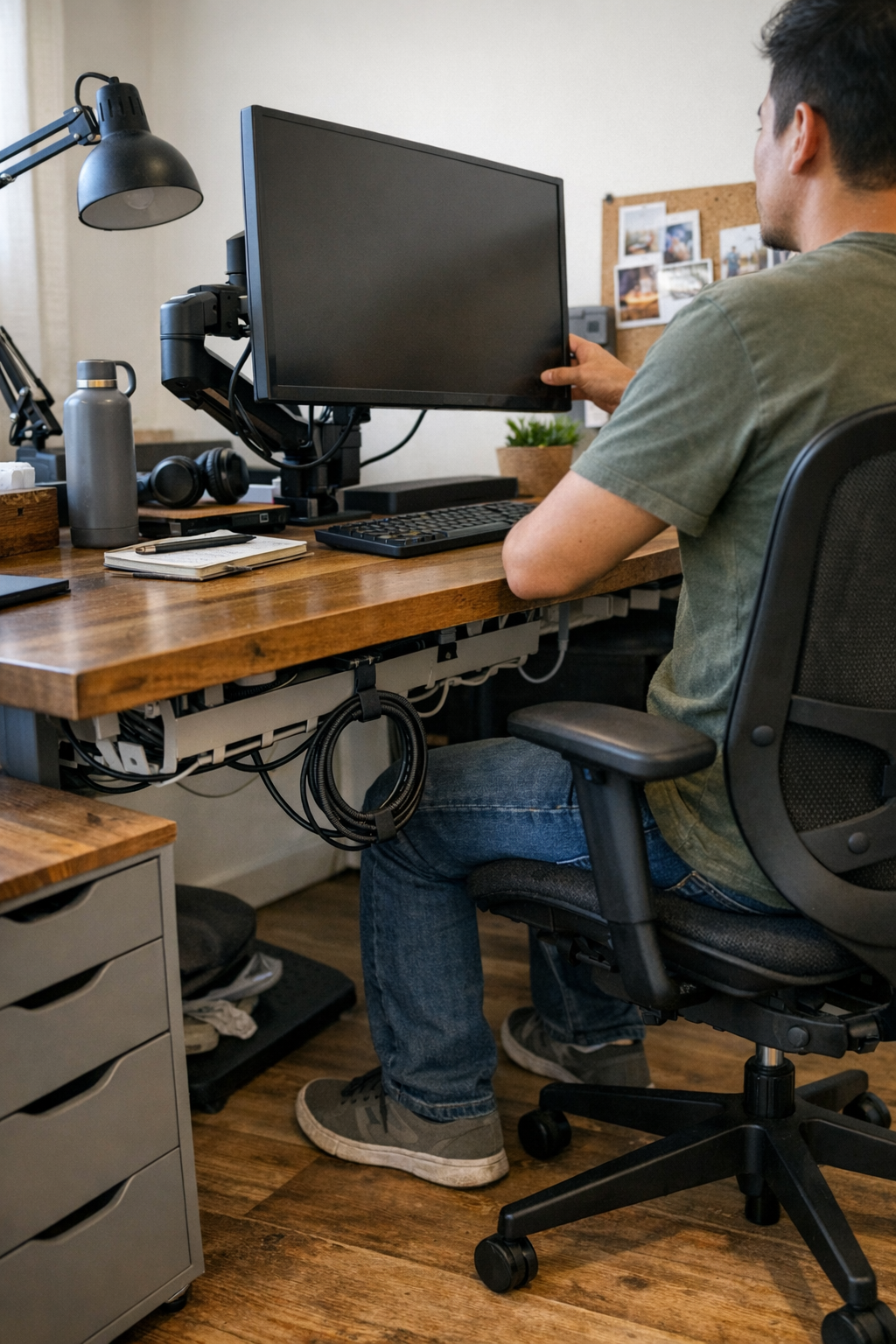
At first, it looked fine: every cable concealed, the surface neat. What photos don’t capture is what happens mid-afternoon when you shift in your drafting chair, or late in the day when you set down your phone and reach for a charger. The subtle resistance builds—even if it’s just a second lost each time. I swapped out rigid zip ties for an under-desk cable clip, leaving a small loop—about two fingers’ width—where the monitor cable meets its arm. The change was simple and almost invisible, but the difference kept showing up. Movement became easier; untangling cables stopped being a daily hassle.
Not Every Cable Has to Disappear
Returning to the desk, I began spotting which details really mattered. A cable tray keeps most cables up and out of the way, but over-concealing often means movement suffers. That’s what made a tidy surface a bit misleading. The desk isn’t just a set piece—it’s something you adjust, reset, and live with for hours every day. Letting cables move with you—a visible, flexible slack tucked just behind the monitor riser—made the desk feel less like an obstacle and more like part of my workflow. Over time, the relief was subtle but impossible to ignore.
Some workdays aren’t about perfection—just the ability to sit down, shift your ergonomic or executive chair, and reach what you need without interruption. That’s enough.
If you want to see the pieces that helped make this possible, there’s a quiet overview here: http://www.workbasic.myshopify.com