When Outlet Corners Stop Getting in the Way
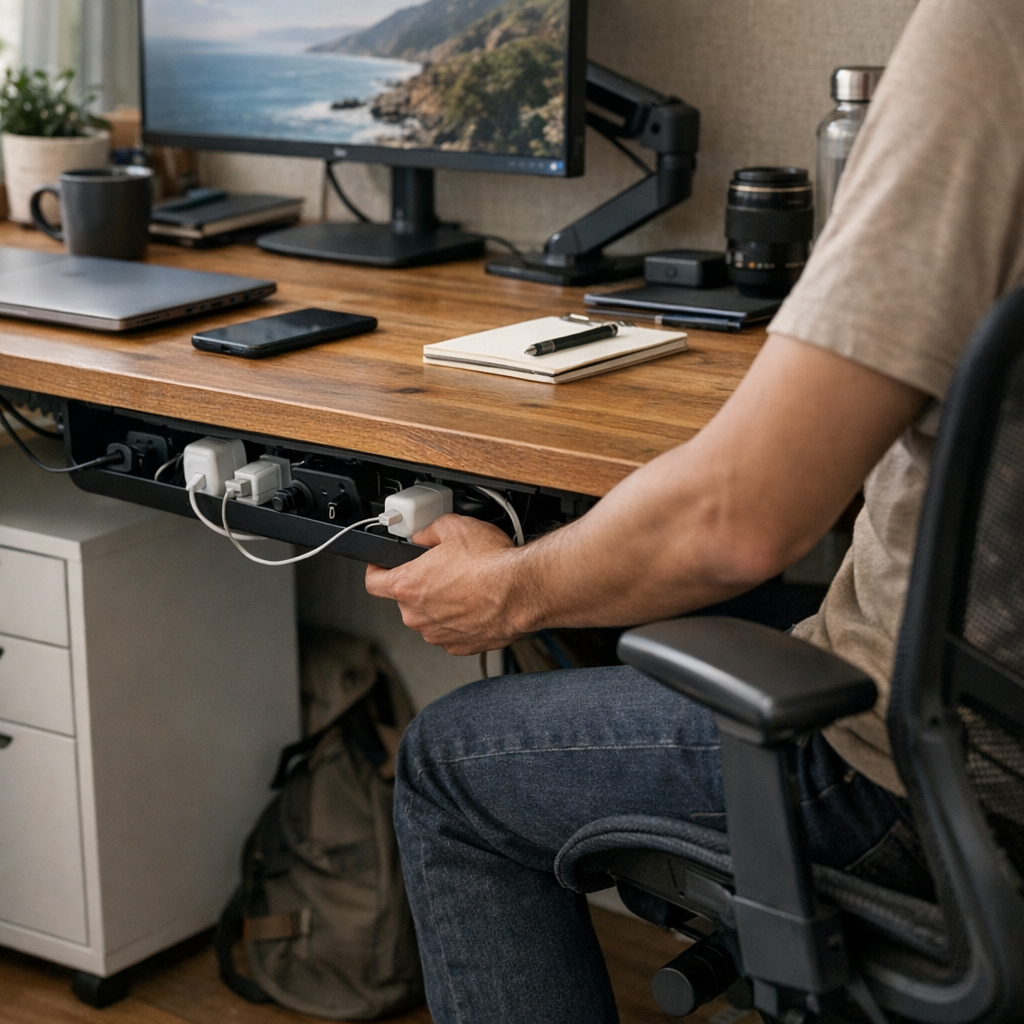
Switching to open-access trays under the desk eliminates cable friction and keeps the outlet corner both invisible and easy to use daily.
There’s a particular kind of annoyance that creeps up around a desk’s outlet corner—quiet at first, but impossible to ignore once you’ve felt it. The first week feels manageable: cables tucked in, adapters hidden behind glossy cable boxes, organizers making everything look shipshape. But over time, in the rhythm of actually working—plugging in, swapping cords, reaching for a quick charge—the friction builds. I kept thinking I’d solved the mess but missed how little disruptions slow things down. The visual order fooled me, for a while.
You notice it after a few days, this small drag that always returns. The cable box looks fine sitting at the back wall, lid closed, soft glow of a charger running inside. But as the days fill with swaps between laptop, phone, and headphones, that same box becomes a barrier. I’d nudge it aside with one hand, lift the cover, accidentally jostle half the cables free. My leg bumps into it under the desk when I try to reroute a cord. It doesn’t look messy, yet it feels off—testy, fussy, like something meant more for display than use.
The trouble isn’t the appearance of organization. It’s the tension between what looks clear at a distance and what resists you in practice. An organizer that hides cables but slows you down misses the point. Every repeated device swap turns convenience brittle: closed boxes needing to be shifted, cords popping their coils, tangles growing underneath. That was the part that stayed with me. It’s easy to convince yourself a problem is gone if you don’t stare too closely.
After enough mid-task interruptions—plugs catching, boxes moving, cables spilling—I traded the box for an open cable tray tucked under the desk edge. I almost didn’t notice the relief at first. But the difference kept showing up: cables following a single visible path, never doubling back or getting stuck behind a plastic shell. Now, when I need to plug something in, the motion is smooth, unblocked. Finished for the day, I don’t have to reset a tangle, just close my laptop and go. It’s a small, ongoing ease that turns access into routine, not a project.
Sometimes, the neatest solution is simply the one that gets out of the way. I couldn’t see it until I’d lived with the small delays and slow clutter creep, day after day. That’s the thing: what works for real isn’t always the tidiest or most hidden. It’s usually just the tool you forget about because everything else moves a little smoother.
For anyone working through similar little desk frictions, this place might be worth a quiet look: http://www.workbasic.myshopify.com